CLICK HERE FOR FREE BLOGGER TEMPLATES, LINK BUTTONS AND MORE! »
Showing posts with label Create a Critter. Show all posts

Friday, August 19, 2011

Teacher Bulletin Boards with the Cricut and Gypsy

I said a small prayer while I connected my Gypsy to the Cricut because I had tons of stuff to cut for school; in fact, I had 8 12x24 mats worth of stuff!  Just in the first go around!  I have an bug and/or insect theme in my classroom this year, so I had a blast using the Cricut to make cute bulletin boards!  Here are photos of what I did! 
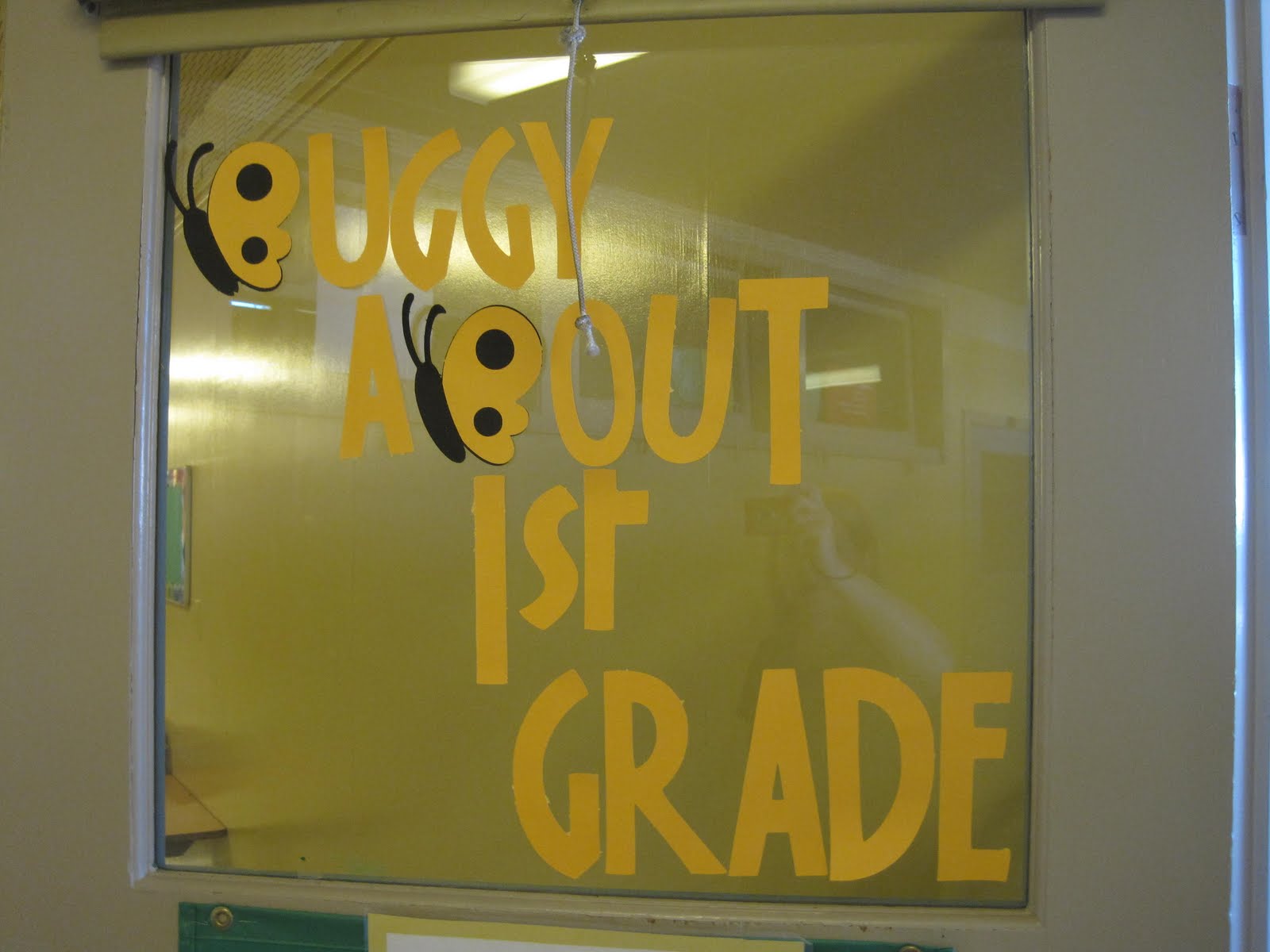
This is on the outside (facing out of my open) classroom door.  It says "Buggy About 1st Grade."  I replaced the letter B's with butterflies and customized their wings to have the circles in the right spots to make it look like B's.  I cut all the letters at 6".  I used my ATG gun to stick them to the window and I LOVE how quick and easy it was!  I think the font is Jubilee.

Above my bookcases is the saying "Buzz Worthy Books."  I think  the font is Opposites Attract.  You see, I was creating and cutting really, really late at night and my mind was a little mushy and I can't remember what I used for sure!  These letters are cut at 6 inches as well.

 I made two cute Create a Critter bumblebees to accent the title.  :)  Love them!

Horrible picture because the lamination is reflecting, but this is my CAFE wall from the Daily 5 book.  If you are a teacher and don't know about Daily 5, go find the book!  It's wonderful! But, do first graders know what a cafe is?  Probably not, so I rearranged it to spell FACE, as in "The FACE of reading."  (Each letter stands for a reading skill:  F-fluency, A-accuracy, C-comprehension, E-expanding vocabulary.  When I teach a strategy for any of these, it is listed under the correct category for the kids to refer to, thus the columns!

Here's part of my library, with the heading and then the empty focus wall.  The items reflecting are the labels for my focus wall.

Whew!  We just adopted Bridges, and here is a picture of the Number Corner for first grade (ie. the calendar).  Luckily I found these small pocket charts at Target to help organize the area!

Lastly, I did "Great Work Spotted!" and hung it up on my windows.  I wish you could see the colors, but the shadow is black and the actual letter is red.  They are cut at 6" and are Gypsy Wanderings font.  I added two Create a Critter ladybugs as well.  I will post kids work underneath on the windows.
Hope you enjoy!

Sunday, July 31, 2011

Birthday Blog Hop Day #2

Welcome back to Day #2 of the Birthday Blog Hop!
If you have just hopped on the tour, please go to the first stop on the hop at Samantha's Cricut Creations (www.samanthascricutcreations.blogspot.com). If you have arrived from http://gloriasgoofycraftspot.blogspot.com/ then you are in the right place. Thanks for hopping by! 

My daughter's birthday is coming up and she loves horses!  In fact, we're taking a couple of girls horseback riding for her party, so these are the invitations I created.  I used cloud patterned paper for the background (it's one sided so the inside is white!) and then cut the horse (three layers) from My World.  I cut "Howdy" from Create a Critter, along with the grass.  I welded the taller end grass to the shorter middle grasses and created a little grassy field for him.  Lastly, I took a Versa Watermark pen, and added details to the horse and grass!

Hope you like it and I love comments and new followers!

Next, head to:

Wednesday, May 4, 2011

Little Boy Wall Hanging

While attending the CK Convention in Portland this year, I fell in love with Keller's Creations mini license plates. I have used the full sized ones for a wall hanging in our house, but as soon as I was the mini's I knew I needed a new project! I bought six of them and decided to use them to create a wall hanging for my nephew Landon's room.


I also puchased a package of cute blue and khaki patterned paper and matching buttons at Keller's Creations as well.  I used those as the jumping off point for the solid papers that came from my stash.  It was perfect because Landon's room is a nice shade of light blue!

I cut Landon's name out using Jubilee, creating a shadow and the overlay.  I inked the edges to make sure that it showed on similar colored paper.  Landon's room is decorated in robots, but I don't have a robot cartridge!  I used George (my favorite cart!) to create this cute robot.  I then slightly expanded the size of it to create a black shadow. I was inking the edges of the robot when I dropped my ink pad on the grey robot!  It was awful.  Luckily, I was able to ink over the entire robot to give it a "rusty look."  That was a quick save!  I added a few Keller's buttons with cream fiber tied through.   (Hint:  I used glue dots for the buttons and googly eyes so they wouldn't fall off!)  I inked the edges of everything in brown ink for a cohesive look!

I attached each license plate together with a blue shaded fibers.  I cut the duck from Create a Critter!  (My brother and I are HUGE Oregon Duck fans!)  A couple more googly eyes for character!  Each mini license plate has a few buttons on it to add continuity.

What little boy doesn't like milk?  I used this from Locker Talk and cut the first layer (the milk and carton) in white craft foam!!!  It made the milk look like it had real dimension.  I then popped up the center part of the red milk carton with pop dots and inked the edges of everything.  I used a White Milky Pen to write "Milk."

The dog is cut from the last few remnants of my brown fuzzy paper.  (I think it's from Every Day Paper Dolls.)  I used a brown pen to add the accents and then layered on a cute pink nose and googly eyes.  I inked the edges again!

The balloon was a simple cut, but I cut off the string that was attached and tied on a real cream fiber.  I then flocked the patterned orange paper with orange flock to add a little interest.

Lastly, I added a car from Every Day Paper Dolls.  I used black brads for the tires and added a details with black paper (pop dots behind the windows!) and a black pen for details.  Lastly, I added a cute fabric tag with a curly q on it to mimic the "exhaust."

Hope you enjoy!

Monday, May 2, 2011

Hang In There Card

I have a friend of mine at school who is going through a rough time and I kept thinking about making a card for her, but I wanted it to be upbeat and cheery!  I picked my daughter up from daycare and she had made the cutest art project by drawing vines and then adding monkeys using her thumbprints and brown ink pad!  It was really cute!  I decided to use the same idea and create this cute card!
Target had a box of envelopes and postcards in bright cards for $9.99 (I think!) and I needed the envelopes for Austin's invitations.  The package was great!  Envelopes and postcards in a variety of bright colors, with about 100+ in the box. It was quite the deal! 

The background of the card is actually a bright blue postcard from that package.  I cut the vine from Create a Critter at about 5 inches.  I then cut the monkey (Create a Critter) out of fuzzy brown and cream paper and then cut the shadow in black. I stuck him all together and then added googly eyes and a hand drawn face.  Lastly, I cut "hang in there" from Jubilee.  The letters were too small to get arranged, so I used the negative image instead and I really like how they turned out! 

I added 2 orange brads (1 actually covers a small tear in the green paper!  Never would have known, would you???)  and then added a chipboard patterned circle to replicate the sun.

Hope you like it!

Saturday, March 5, 2011

It's All About the Green Blog Hop Day #2

It's All About the Green Blog Hop
Day #2
And a New Project!!!!
You should have arrived from Melissa's page at http://disneydreamerdesigns.blogspot.com/
If not, please go back to the beginning at Kathryn's page http://wamfamily.blogspot.com/ and enjoy all the great projects!

I am such a lucky person because of all the great things I have in my life, and I wanted a scrapbooking page to showcase that.  This was a new type of layout since I normally scrapbook events, but I really enjoyed creating it.  The hardest part was choosing what "Lucky" things to feature!

Sorry for the bad lighting, but it's pouring down rain outside and I just couldn't get a great picture without a flash!  This is a 2 page, 12x12 layout.  The all the papers except for the title are from The Green Tea Stack from DCWV.  It had 48 coordinating sheets of paper, which I love to work with! 
I cut the title in two parts.  First "Lucky" was cut from the Create a Critter cartridge.  But, I really wanted the title to read "So Lucky", but I couldn't find a great "so."  Time to improvise!  I cut the "So Cute" from Create a Critter as well, being sure to cut it the same size as the Lucky.  I made sure they were the same ratio by layering the U from cute over the U in lucky and changing the size on my Gypsy until they aligned.  I then separated the two titles and had the Cricut cut both.  (I tried hiding portions of So Cute, but I couldn't hide letters...)  I then took scissors and cut the C, T, E portion of CUTE off and layered the So and the U (from cute) over the U in lucky!  Now my title says, "So Lucky" and you can't even tell I pieced it together!  I matted the whole title on brown from the same paper stack.

I cut out several clovers from Indie Art and wrote other things that show how lucky I am!  I added a lighter green large mat (for a 4x6 photo) and wrote in brown along the bottom "to be married to Matt."  I adhered a couple pieces of green glass squares to the bottom with glue dots for a little more bling.  (The 2 clovers say "for my health" and "to be a teacher.  It is my passion!")

The second page continues the same page.  I added another green mat and then a brown mat for 2, 4x6 photos.  I wrote along the bottom of the green mat "to have a house I love" and added several shades of green glass again.  The brown mat says "for Austin and Maddie," my kids.  I used Green Magic mesh and ran it from the right side of the right page to the brown photo mat.  I layered a larger brown clover over the top and then stuck a smaller green clover to the top.  Where the green mesh overlaps the brown mat, I used more glue dots and stuck on some more green glass and then a sparkly cut glass circle.  The two clovers say "for my 2 dogs" and "to be alive, in love and happy!"


Now, for BLOG CANDY!
To qualify for blog candy:
1. become a follower (or show you already are!)
2. leave a comment on this project and tell me why you are so lucky!
3. leave a way I can get in contact with you
4. If you visit both days, and leave 2 comments, you will double your chances of winning!
I will choose a Blog Candy winner on Monday, March 7th.

May the luck of the Irish be with you!

 
Next Stop:
Lisa's page at http://www.cricutingwithlisa.blogspot.com/


Saturday, February 12, 2011

Valentines!

This year both my children wanted to make their own Valentines, especially because the Cricut makes it so easy!  My daughter is quite the artist.  She told me exactly what she wanted and sat right next to my gypsy while I designed.  Of course, one type of Valentine wasn't enough, so I ended up making two different kinds; one for the boys and one for the girls.
Here's the Love Bug.  We used the lady bug from Create a Critter and then hid the spots.  We replaced the spots with the hearts from Gypsy Wanderings.  I then cut small hearts to glue over the round ends of the antennae.  The shadow is black with the shell being sparkly red.  The head and hearts on the antennae are both a light, sparkly pink.  My daughter wrote "Be My Love Bug" on the back in gel pen.  Aren't they cute?

Next, my daughter had seen a card in Family Fun Magazine that used macaroni to make little Popsicles.  You dyed the macaroni and then put several across the front of the card to be a Popsicle.  (Sounds like lots of work!)  The phrase inside was "You melt my heart!"  She loved the idea, so we used the Popsicle on Smiley cards.  I made the shadow and flipped it because I loaded my Silhouette pens in the Cricut and had it write!!!!!  (More writing information below!)  I also cut the front and the drop from sparkly orange.  Then we used the Peachy Keen Face Stamps to put on a cute grin.

I used red and pink to have it write "You melt my (heart)."  Each color is a different layer on the gypsy.  HINT:  Put the shape you want to write on one layer.  (Make sure you have flipped it if you want to write on the back.)  Open a new layer and situate the text right over the shapes you can see from the other layer.  Open a third layer (and so on) for each color pen you want to use.  It was really simple!

My son, who is almost 10, wanted something "cool."  Nothing love based or embarrassing!  He asked if I had an iPod because he went surfing on the Internet and found the "iLove" on Google.  (He actually searched cool boy valentine's cricut all on his own!  Isn't that hysterical?  He then sent me the link to my email and said, "Make this.")  Well, after a conversation about manners, I came up with this.  He was adamant that it not be a Valentine's day color, so we made them a "cool" blue color.  I cut the shadow in black, the iPod (from My World) in sparkly blue and then the buttons and window in white.  I used the same method as above to write "U Rock" on the screen with my silhouette pens. 

Have a Happy Valentine's Day!

Monday, January 17, 2011

4th Of July LID sketch

This week's LID sketch on the Cricut board featured a double page layout with lots of pictures!  My favorite!  I had some 4th of July pictures to scrap, so I created this layout following the sketch loosely. 
4th of July--10 photos

I used George to make the rectangle title block  and cut it twice.  Once I cut it in bright blue for the background and then I cut it a second time in red with the title "4th of July" cut out.  I used the George font as well.  I then used the Create a Critter set of 3 stars and created a border by copying and flipping the set of three starts back and forth.  (For example, Big star, medium star, little star, little star, medium star, big star).  I then grouped and welded them, and copied the whole thing so I could have a border for both pages.  I used the cut out stars from the border for a little something extra on my title.  I then cut out several other starts from Create a Critter and Gypsy Wanderings. 

I adhered a few more stars, the border and then journaled on the 2nd page.  I decided to hand write my journaling in red ink to continue the American theme.  In all, a simple layout with lots of pictures!